XML and USD Models
This section explains how XML and USD are exported.
Exporting an XML Model
URDF and XML are similar. The difference is only in how they are described, so AI can generate XML directly. A simple prompt can be: "Please export XML based on this URDF."
The XML format looks like this. As you can see, it is very similar to URDF:
<body name="base_link" pos="0 0 0.45">
    <inertial pos="-0.01659 -0.00137 0.08826"
            mass="5.71912"
            fullinertia="0.08215553052 0.06587478666 0.03079655054 0.00011239289 0.00069285862 -0.00017794141"/>
    <freejoint name="root_free_joint"/>
    <geom type="mesh" mesh="body" rgba="1 1 1 1" contype="0" conaffinity="0"/>
    <geom name="base_link_col_1" type="cylinder" pos="-0.02 0 0.14"
        size="0.10 0.1" group="3" rgba="0.2 0.8 0.2 0.25"/>
    <site name="imu_in_base_link" pos="0 0 0.1" size="0.01"/>
Exporting a USD Model
USD is a data structure specific to IsaacSim and IsaacLab, so it needs to be exported separately using IsaacSim.
First open IsaacSim -> File -> Import -> select the path to your robot URDF.
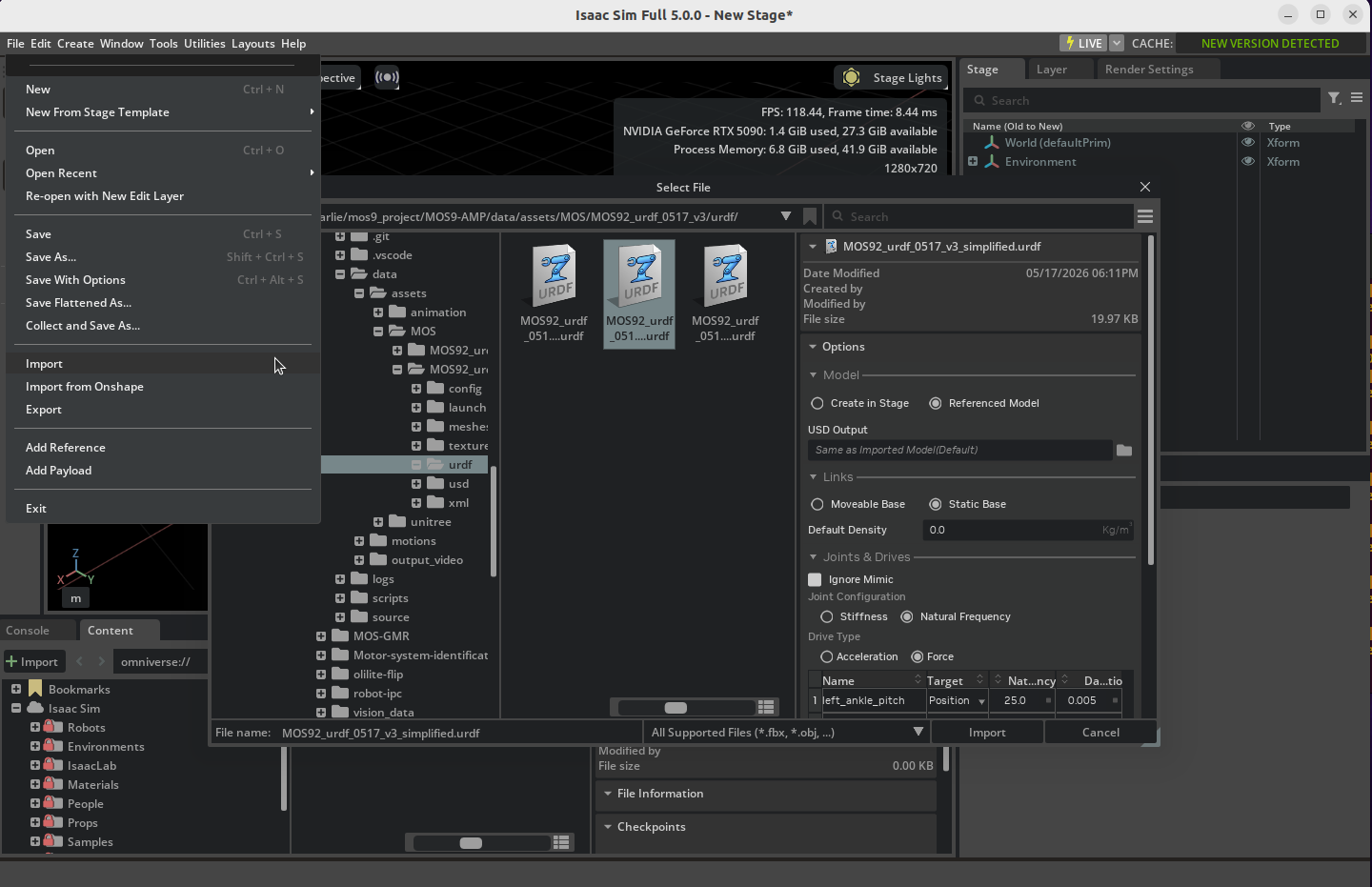
After the import, USD will be generated and saved automatically. The USD directory structure looks like this:
├── configuration
│   ├── MOS92_urdf_0517_v3_simplified_base.usd
│   ├── MOS92_urdf_0517_v3_simplified_physics.usd
│   ├── MOS92_urdf_0517_v3_simplified_robot.usd
│   └── MOS92_urdf_0517_v3_simplified_sensor.usd
└── MOS92_urdf_0517_v3_simplified.usd
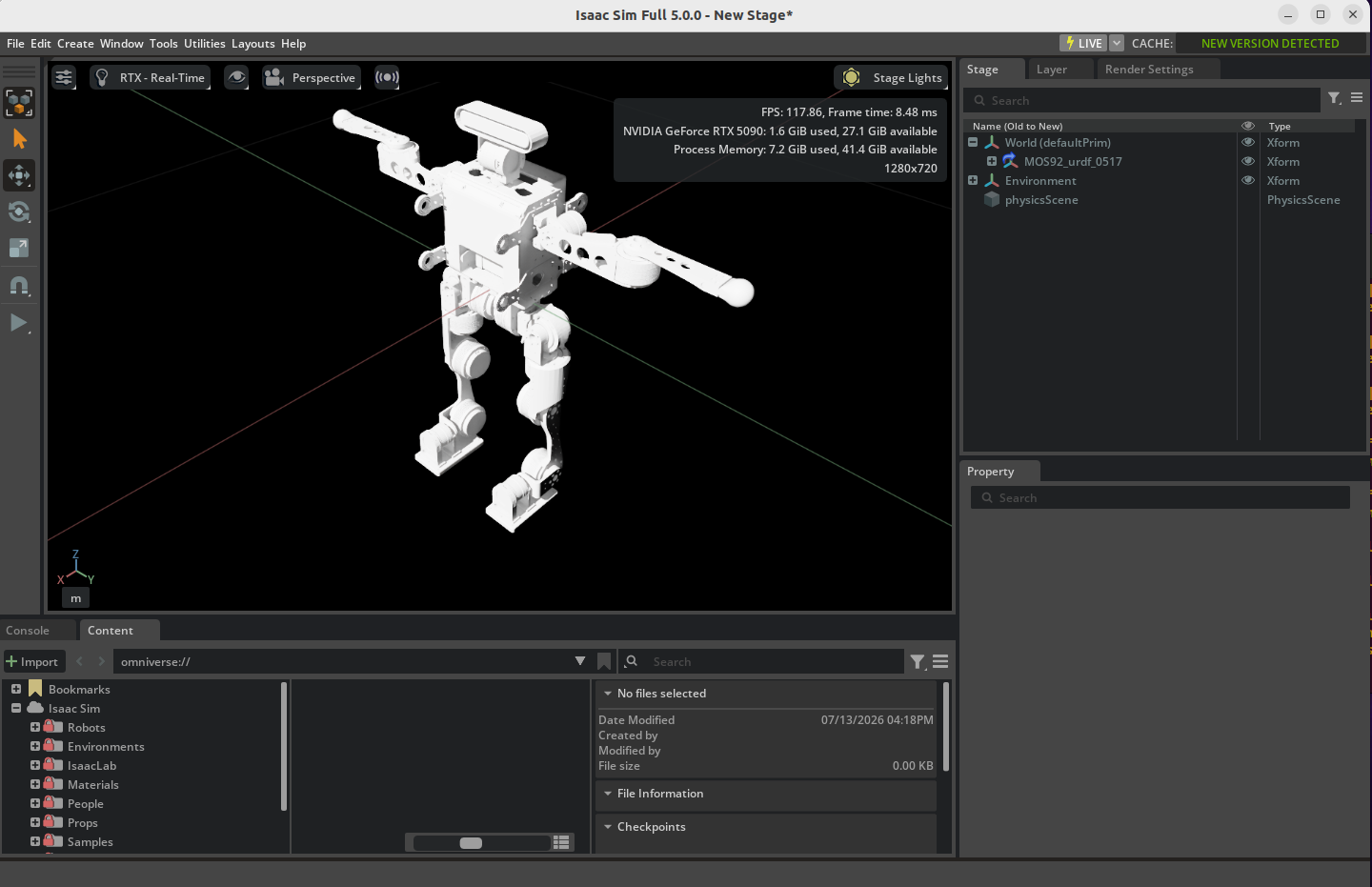
After the import, a root_joint may appear. You need to delete it in physics.usd.
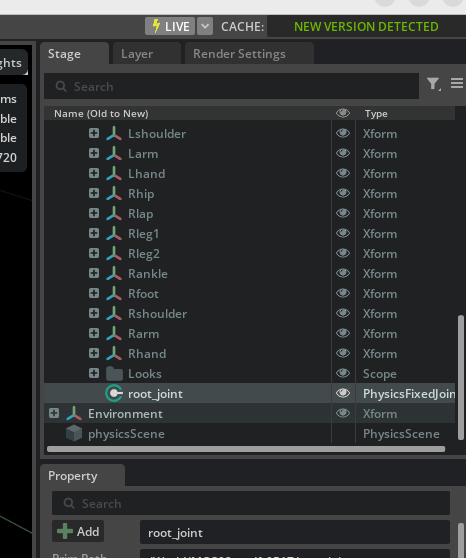
After that, your USD is probably usable. If there are still other bugs, you can address them with your AI.